Step-by-step guide on Fedora 15 installation – Part 4 (Final)
Step-by-step guide on Fedora 15 installation – Part 4 (Final)
Step 10. Welcome
- Configuration starts immediately after reboot.
Click Forward.

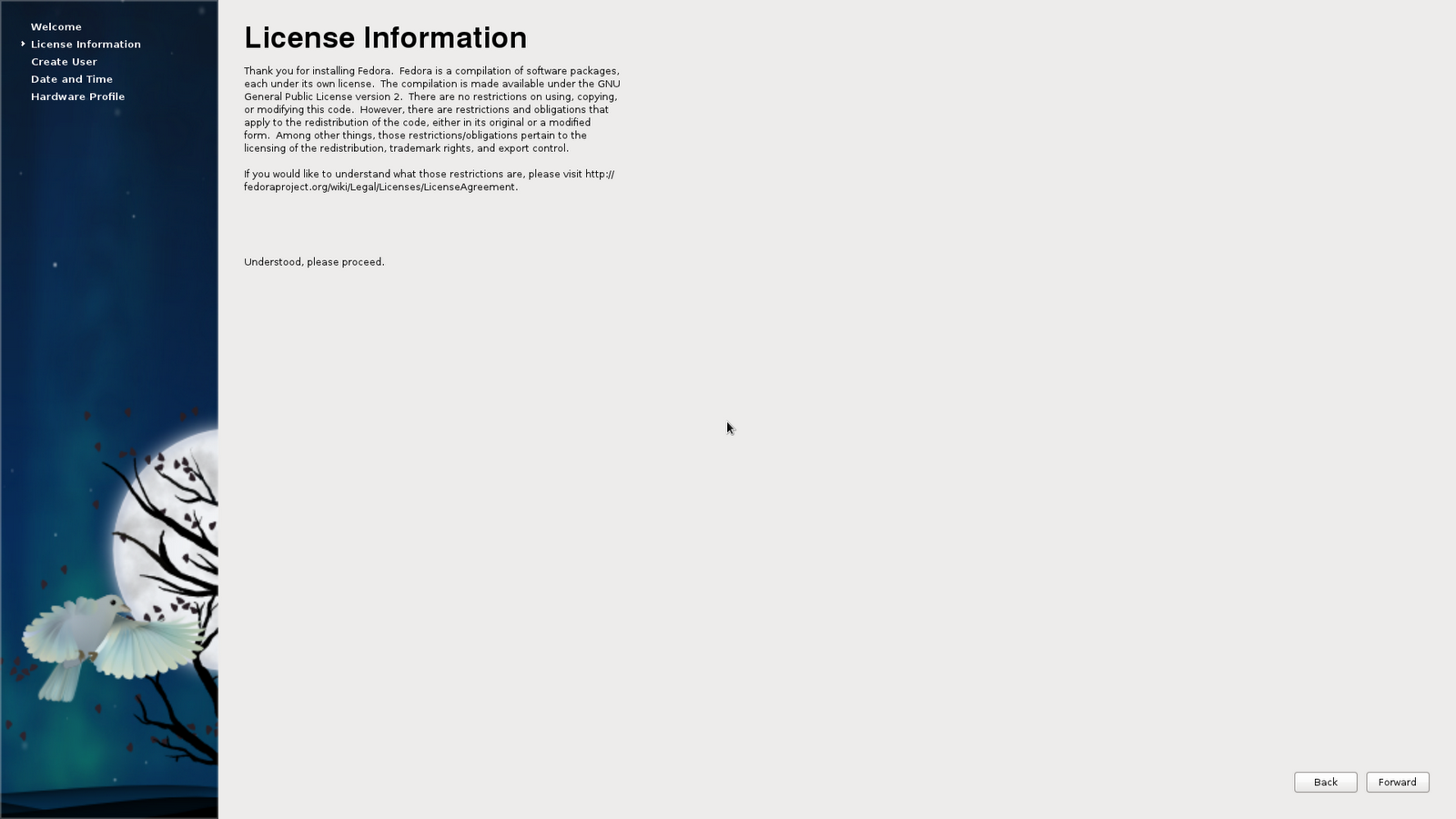
Step 11. Accept license
Click Forward.
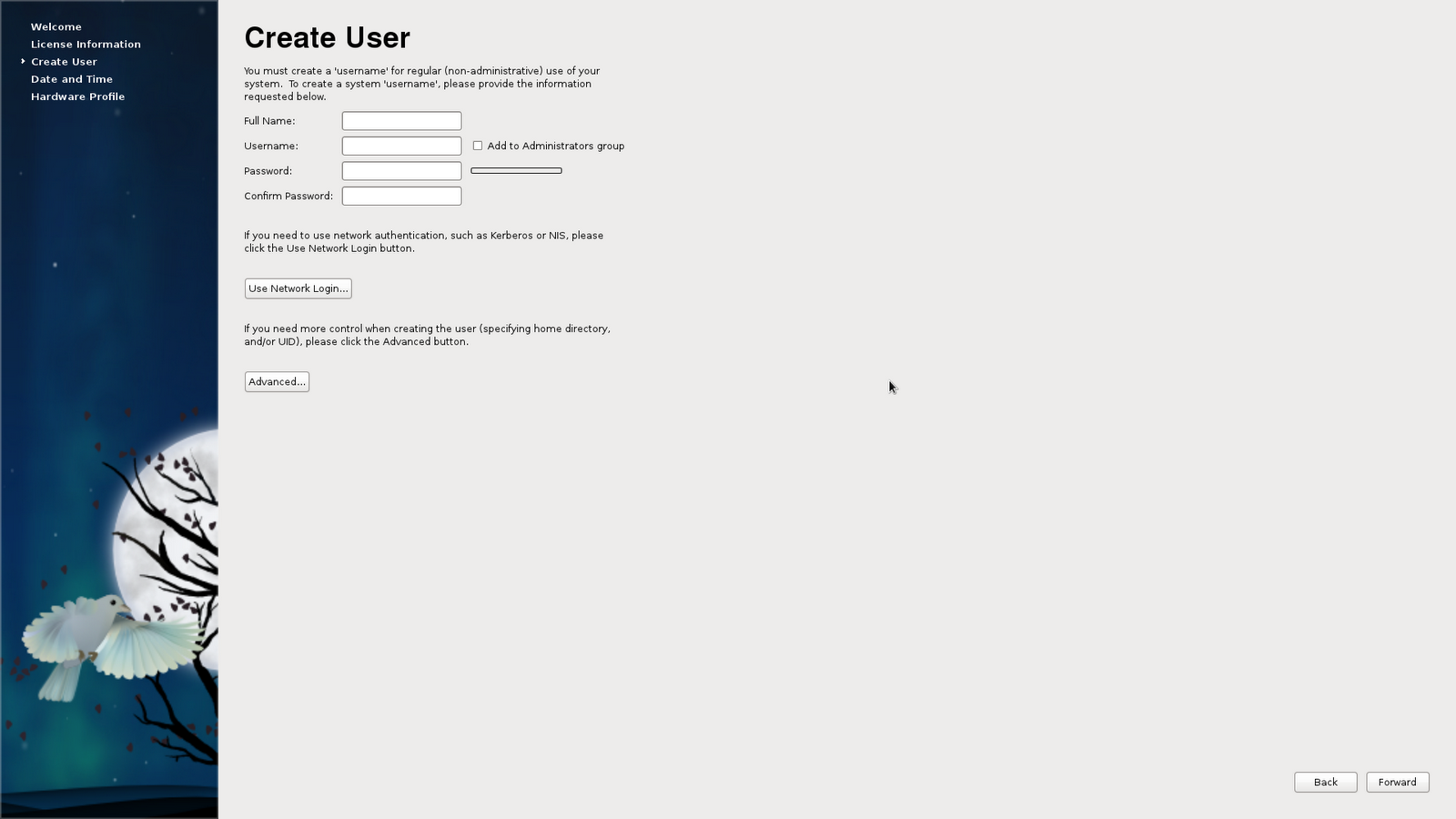
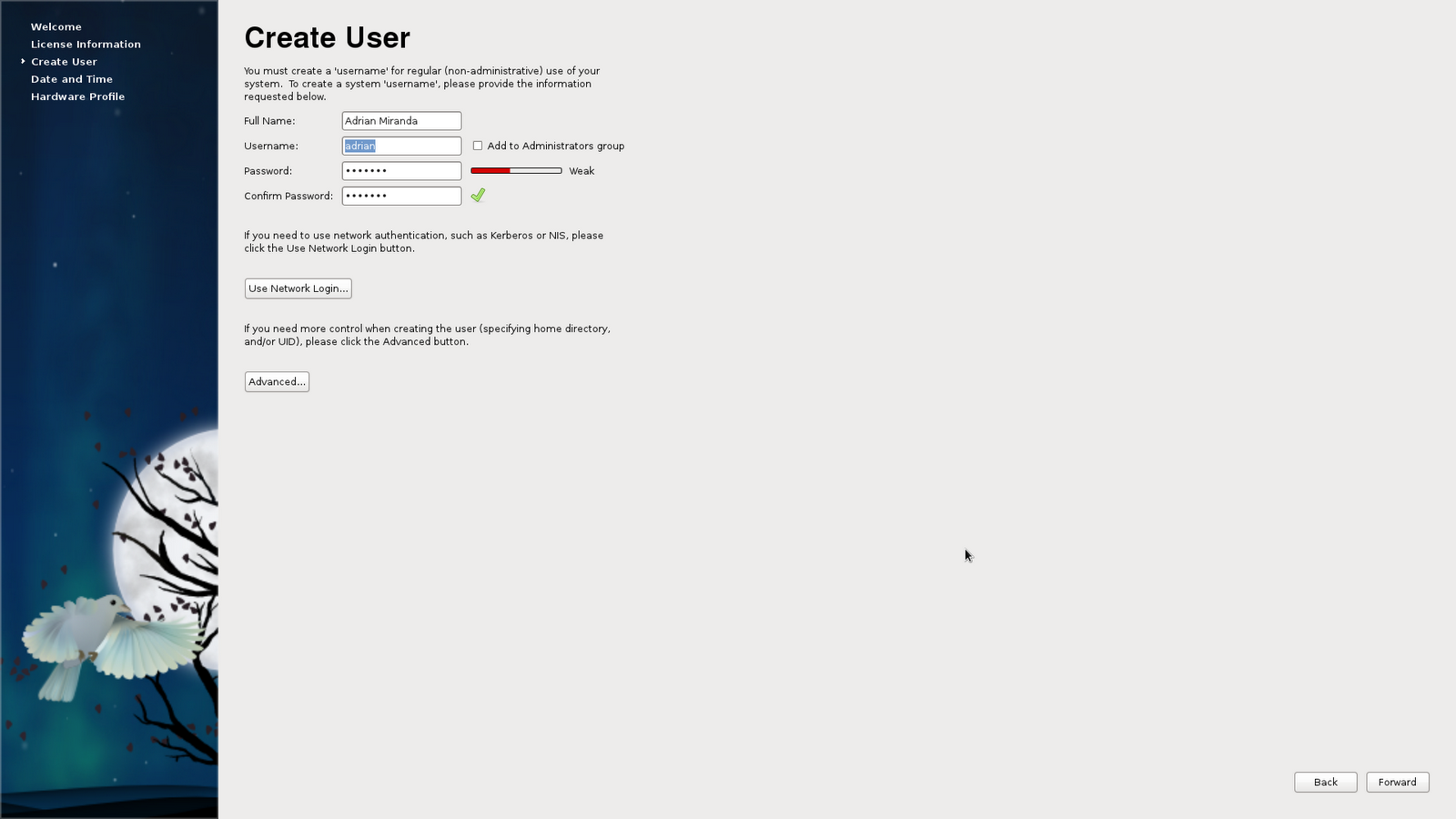
Step 12. Create user
- Create a new user and fill-up the form.
- You may ignore the Use Network Login for simple user creation.
Click Forward.
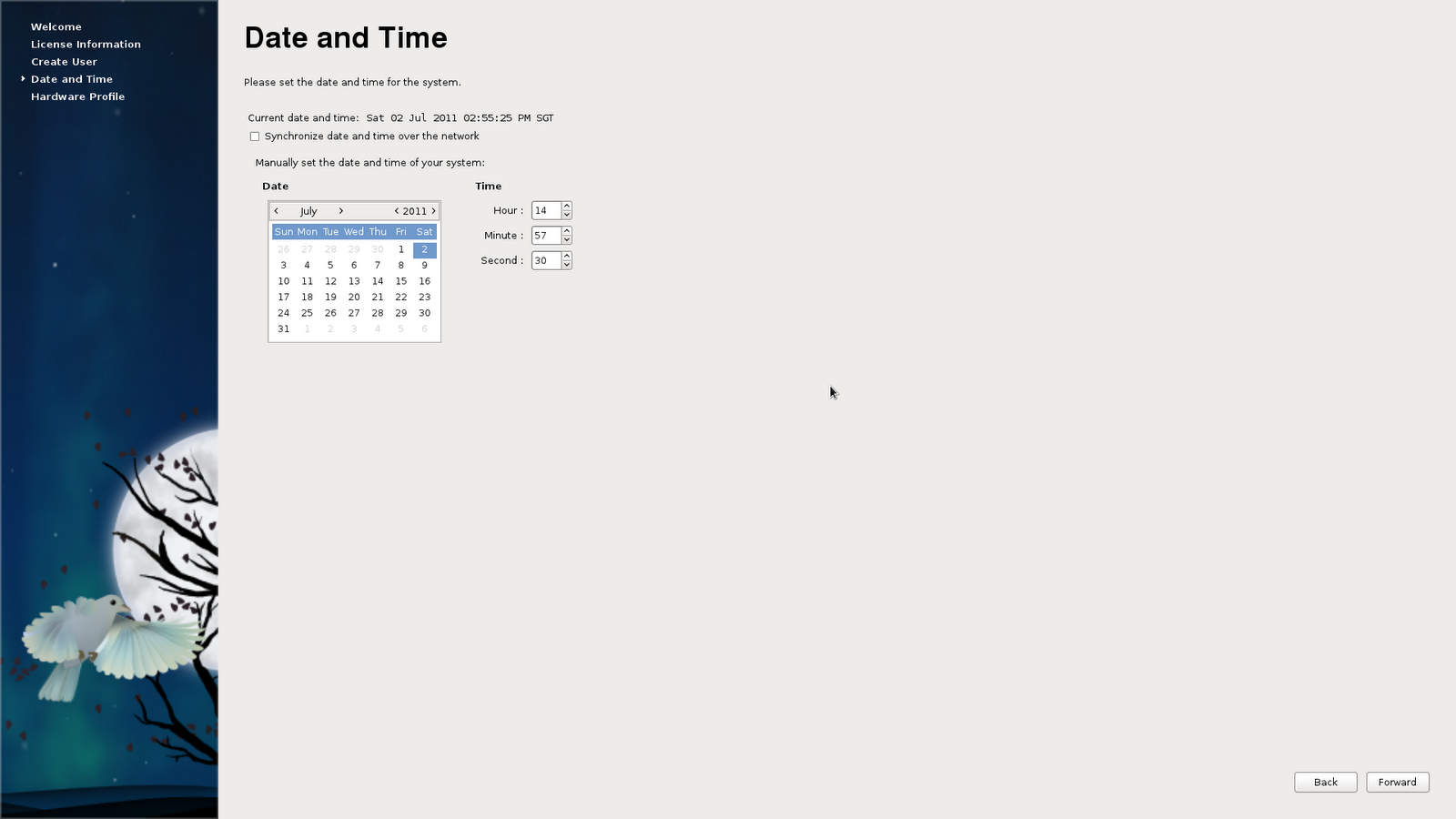
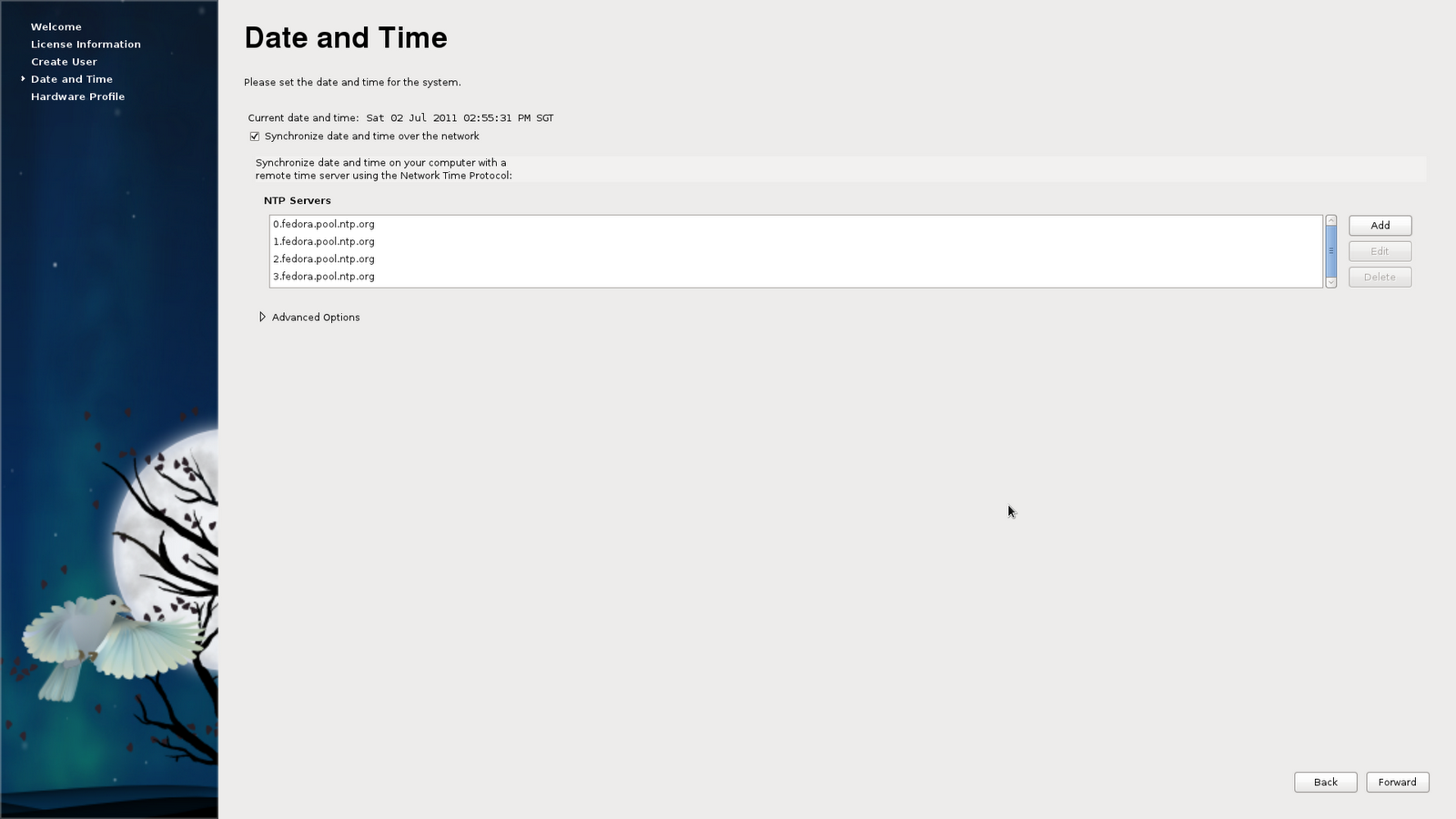
Step 13. Set date and time
- Tick Synchronize date and time over the network to enable NTP so your system will just connect to the Internet to synchronize its time. It is more accurate.
- If you prefer otherwise then manually set them.
Click Forward.
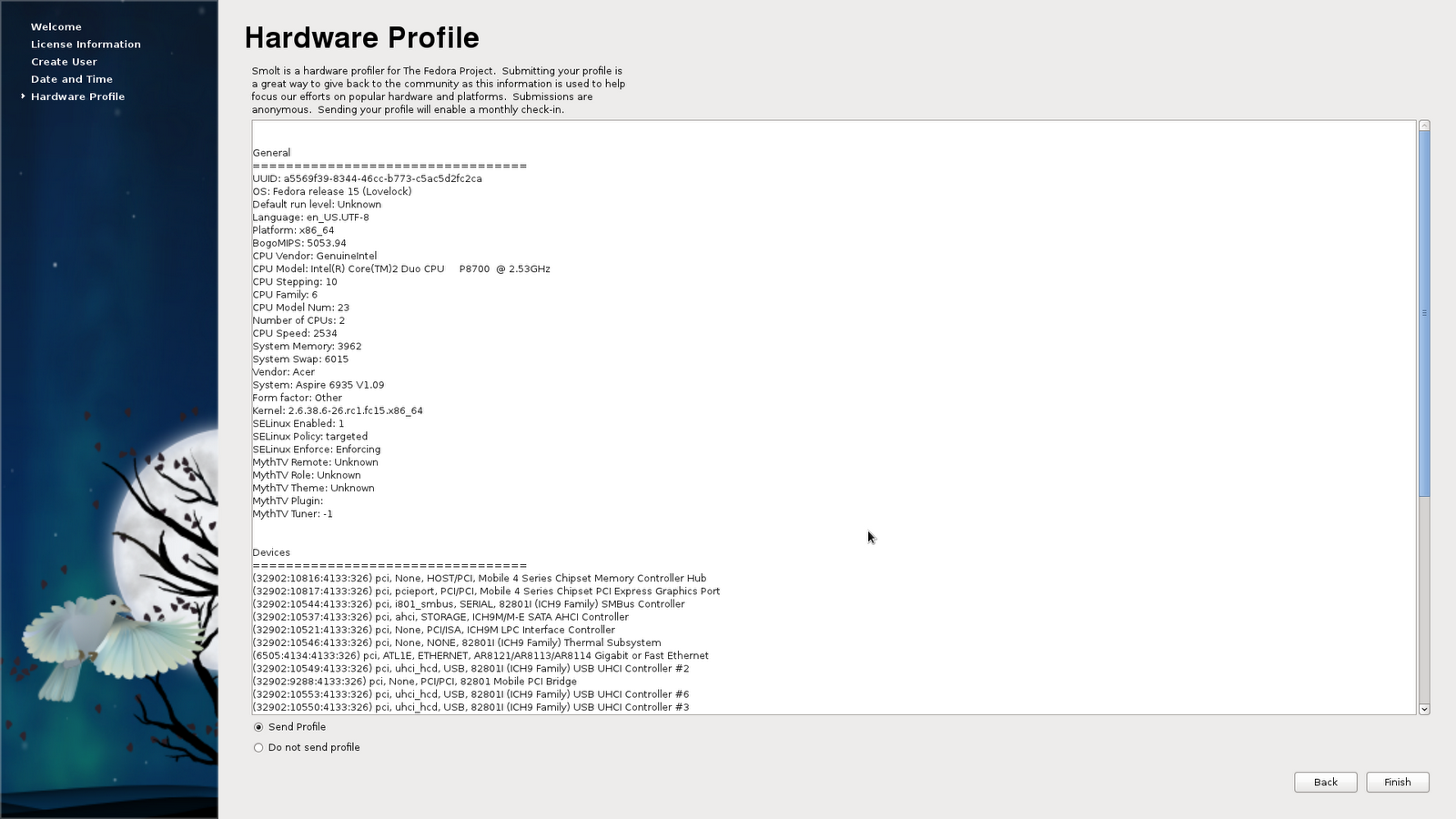
Step 15. Share your profile
- The least you could do to the open source community is to share the details of your system to them. It will help them debug errors and improve Fedora.
- Choose Send Profile
Click Forward.
That’s it!
See my next posts for the post-installation guides like the essential things to install and for more in depth setup specific to your machine.
This post is licensed under CC BY 4.0 by the author.
Comments powered by Disqus.