Trying Fedora 18 Spherical Cow
Trying Fedora 18 Spherical Cow
Fedora 18, code named Spherical Cow, was officially released last week. It’s time to create a live usb again to give it a try.
Download the iso image
Fedora 18 Spherical Cow Desktop image (64-bit)
Verify
Just to be safe…
Get the checksum file
1
wget https://fedoraproject.org/static/checksums/Fedora-18-x86_64-Live-CHECKSUM
Import the keys
1
curl https://fedoraproject.org/static/fedora.gpg | gpg --import
Verify
1
sha256sum -c *-CHECKSUM
1
2
3
4
5
Fedora-18-x86_64-Live-Desktop.iso: OK
sha256sum: Fedora-18-x86_64-Live-KDE.iso: No such file or directory
Fedora-18-x86_64-Live-KDE.iso: FAILED open or read
sha256sum: WARNING: 20 lines are improperly formatted
sha256sum: WARNING: 1 listed file could not be read
As long as you see OK next to the file you downloaded (see highlighted text), then you are good to go. Ignore the other files like the KDE ones since we didn’t download them.
Create the Live USB
1
sudo yum install liveusb-creator
Launch liveusb-creator and select the Fedora 18 iso image.
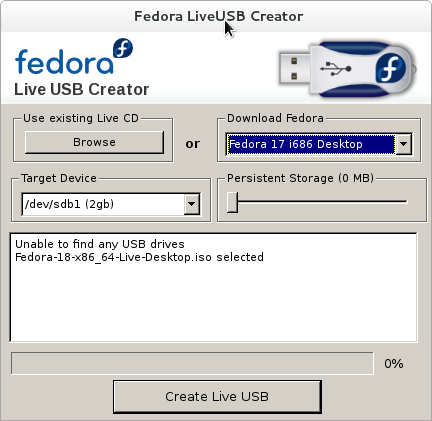
Click Create Live USB
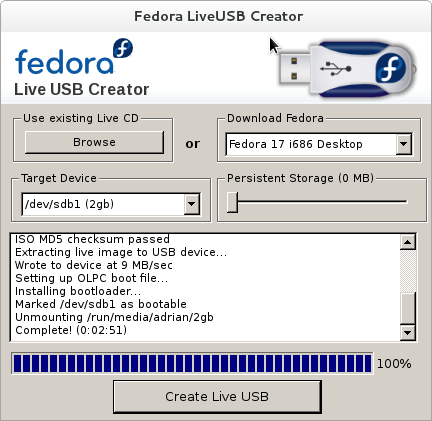
Done! That’s it. Reboot from the Live USB.
Notes: If you prefer other Fedora images, get it here. More details on how to verify here.
This post is licensed under CC BY 4.0 by the author.
Comments powered by Disqus.